
OUR EBAY STORE
Home » All Products
Details
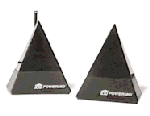
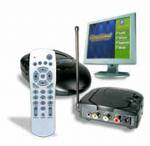
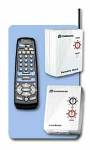
Simply place the transmitter in another room and place the receiver anywhere in the room where the equipment you want to control is located.
Buy Now! Only $39.99!
Buy Now! Only $64.99!
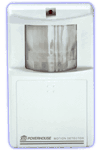
The perfect kit to simulate an angry dog barking. Use with included motion detector. When someone trips the motion detector, the dog will bark! You can even set your lights to turn on after the barking. Get the ultimate security for those dark nights or weekend trips away from home with this authentic dog-sound alarm!
The Barking sounds of Robo-Dog are so real ... you'll find it hard to tell the difference!
Listen to Robo-Dog (wav file)
Order Now & Save!!
Buy Now! Only $29.99!
Buy Now! Only $49.99!
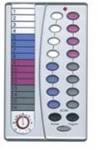
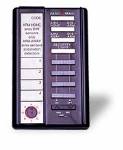
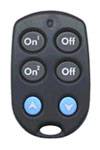
Security Hand Held Remote Control The Security Hand Held Remote Control is ideal for use with any X10 security console. Used to arm or disarm the system, this talented remote also controls lights and appliances with optional X10 modules.
Arm your X10 security system in "home" or "away" mode.
Panic button for instant alarm! On/off & dimmer light controls!
100 foot radio frequency range
Buy Now! Only $26.99!
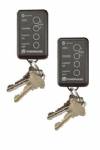
Includes Lighting & Home Automation controls!
40-foot radio frequency range
Buy Now! Only $19.99! (Price is per keychain)
Perfect for Sharing with Your Friends & Family X10's ShowTime™ TV/Video Version with TRIPOD Under $100 if You Order Now!
Don't be limited to viewing your digital photos on your computer! Imagine having friends and family over, relaxing in the family room as you dazzle them with an amazing digital "slide show" of your last vacation on the BIG SCREEN TV! It's a lot of fun! Show off your digital photos and videos all at once and scan/find what you want with a push of a button!
Order Now & Save $100!
List Price
Perfect for Sharing with Your Friends & Family X10's ShowTime™ VGA Version with TRIPOD Under $100 if You Order Now!
Order Now & Save $90!
Buy Now! Only $19.99!
Buy Now! Only $24.99!
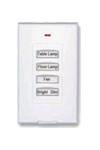
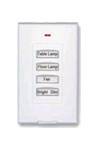
Slimline Wireless Wall Switch (White) Micro thin! Only 7 millimeters! Completely indistinguishable from an ordinary wall plate. Single push-button programmability. 3 on/off buttons PLUS 4th button dimmer control. Adheres to any surface. Mount it anywhere to have the perfect wall switch right where you've always wanted -- no wiring!
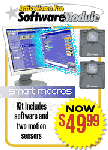
With X10's SmartMacro Software Module for ActiveHome Pro, your home will be able to ask questions, find answers and then make intelligent decisions all by itself! X10's SmartMacro Software Module adds "conditional capability" to macros in ActiveHome Pro. When you check one or more conditions before running a macro (also known as an if/then command), your macro can control lights and appliances differently depending on the results! The possibilities and benefits are endless! Automate your life now and you'll benefit immediately with increased security, safety, convenience and fun!
Order Now & Save 50%!
Wireless Music Made Easy
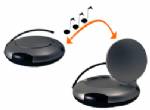
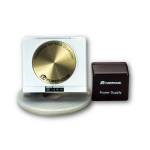
Creating "surround sound" without running wires is made easy with X10's SoundPower Wireless Speaker Jack System with Amp. SoundPower's advanced wireless 2.4 GHz transmitter sends music/audio from any audio source - stereo, CD player, etc. - to any speakers within 100 feet! Order now to enjoy your music anywhere!
Transmits stereo sounds in or out of the home!
Enhance your home theater system!
FREE BOOM 2000 PC Kit: PC Music Anywhere!
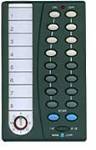
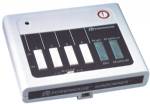
The X10 Sundowner Controller lets you remotely control lights and appliances from anywhere in your home. It also turns lights on automatically at dusk. You can keep it by the bedside and turn off the TV without getting out of bed. You can turn off your child’s radio or night light from your bedroom. You can turn on ALL lights connected to Lamp Modules and Wall Switch Modules with the push of a button if you hear a noise at night. You can even turn off everything in the system with one button to save energy. How many times have you gone to bed and left a downstairs light on because you didn’t want to get out of bed to turn it off? Now you don’t have to. Caution: Be very careful when you use your X10 Sundowner Controller with any kind of appliance. If you accidentally turn on an empty coffee pot for example, you could burn out the element and even create a fire hazard. Switching on an unattended heater could also cause a serious fire hazard. The X10 Sundowner Controller activates lights and appliances throughout your home from any convenient location. The Sundowner Controller transmits signals to the Modules over your existing house wiring. You plug lamps into Lamp Modules, plug appliances into Appliance Modules and replace wall light switches with Wall Switch Modules. You can then control virtually everything electrical in your home. You can also dim and brighten lamps, and have them come on automatically at dusk. How it works The Sundowner Controller tells the Modules what to do. Command signals are sent over your existing house wiring to the Module or Modules of your choice. The Modules respond to the command signals. The Lamp Module turns on and off, and dims and brightens any incandescent lamp up to 300 watts. The Appliances Module turns on and off appliances such as a TV, (not “instant on” TVs), a window fan, or a stereo. It can also be used for a lamp - but cannot dim it. The Wall Switch Module turns on and off, and dims and brightens an incandescent light up to 500 watts, which is normally operated by a wall switch. To turn ON a light or appliance Press and release the TOP of one of the 4 number keys corresponding to the Unit Code set on the Module to be controlled. To turn all lights on (i.e. all lamps connected to Lamp Modules or Wall Switch Modules set to the same House Code) press the TOP of the All Lights On/All Units Off key. This key does not affect Appliance Modules. To turn OFF a light or appliance Press and release the BOTTOM of one of the 4 number keys corresponding to the Unit Code set on the Module to be controlled. To turn off all modules, including Appliance Modules, press the bottom of the All Lights On/All Units Off key. To Dim or Brighten lights Press and release the TOP of the number key for the Lamp Module or Wall Switch Module you want to Dim or Brighten (you can’t Dim or Brighten Appliance Modules). Then press the TOP of the Dim/ Bright key to Brighten or the BOTTOM of the Dim/Bright key to Dim the light. Hold the key pressed until the desired brightness level is reached. The Finder Label is a convenient place to indicate the locations of lights and appliances controller by your system. There is one box for each unit key. Automatic Light Control Test the Dusk-to-Dawn operation by covering up the front of the Sundowner with your hand. The lights you selected (with the slide switches underneath the Sundowner Controller) should come on. Remove your hand and the lights should go off again. Adjust the sensitivity setting for the lights to come on when you want them to - a little trial and error may be needed. Using the Sundowner Controller 4. Adjust the slide switches on the base of the Sundowner Controller to choose which lights you want to come on at dusk and go off at dawn. Set the sensitivity to Max. Having 16 choices for the Housecode lets you set up several independent systems in one home without interaction among them. Also, you can avoid interference with, or from a neighbor’s system by choosing a different Housecode letter. Setting up the Sundowner Controller 1. To install your Sundowner Controller, simply plug the power cord into any functioning wall outlet. Position the controller where the light sensor on the front of the controller can “see” daylight, e.g. near a window in a room which is usually unlit at dusk. 2. Set the slide switch on the top of the Sundowner Controller for the Modules you want it to control (1 thru 4 or 5 thru 8). 3. Using a small screwdriver, choose one the 16 letters on the Sundowner Controller’s Housecode dial. All X10 Modules have a similar red Housecode dial. Set the Sundowner Controller and all the Modules to be controlled by it to the same Housecode letter.
« Previous | ...80 | 81 | 82 | 83 | 84 | 85 | 86 | 87 | 88 | 89 | 90 | Next »
Copyright ? 1994-2024 Designed and Hosted by Electronics Gear All Rights Reserved